Scaling
Resource limits and CPU-based autoscaling for your containers.
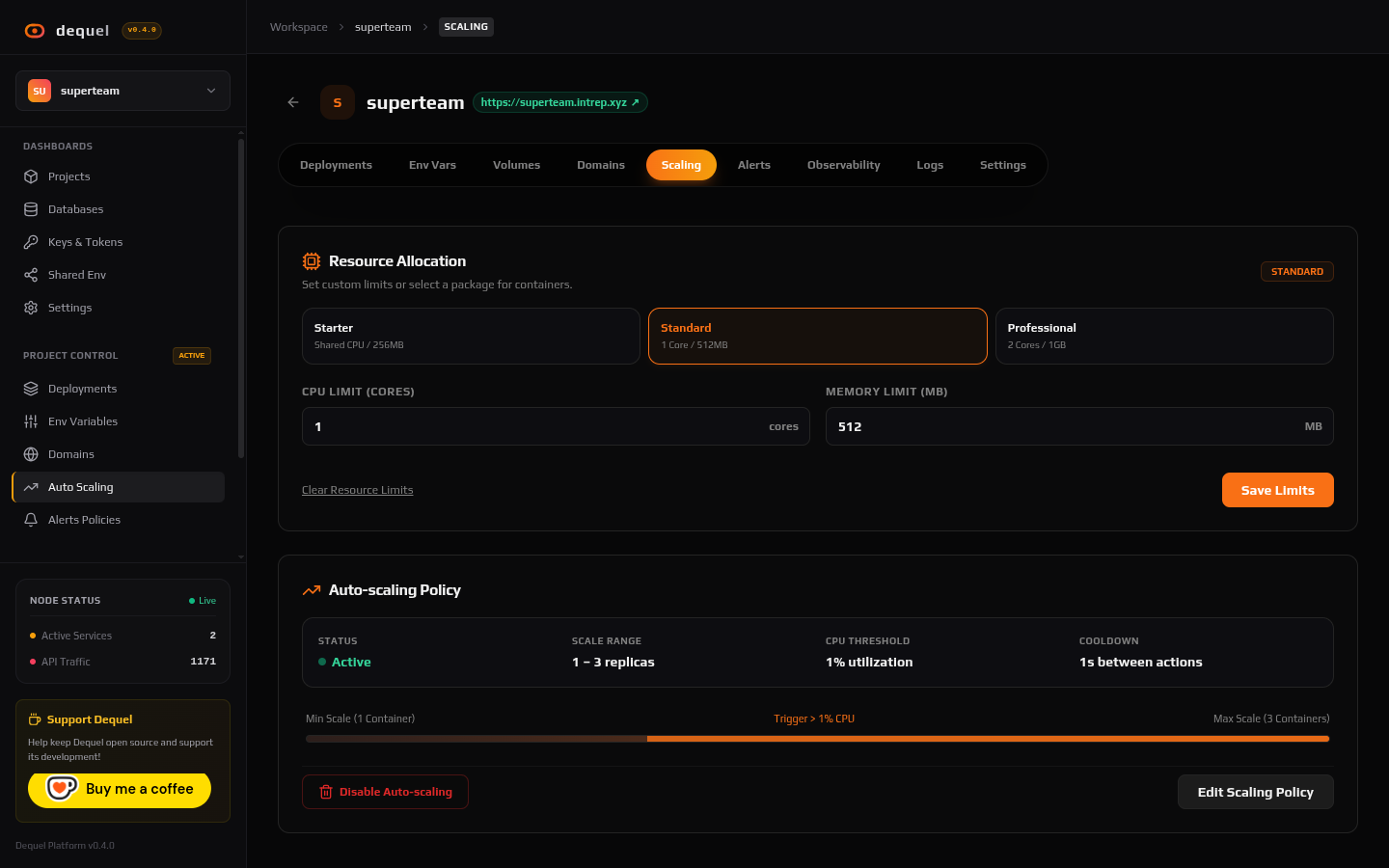
The project’s Scaling tab holds two cards: resource limits and the autoscaling policy.
Resource limits
Set per-container bounds that are enforced on every deployment:
- CPU limit (cores) — for example
1.0for one full core. - Memory limit (MB) — for example
512. A container that exceeds it is killed with an OOM error and restarted.
Autoscaling requires a CPU limit, because the engine scales on CPU utilization.
Autoscaling policy
Click Enable autoscaling and configure:
- Min replicas — the floor of instances always running (at least 1).
- Max replicas — the ceiling under load.
- CPU threshold (%) — when average CPU utilization across replicas exceeds this for the evaluation window, Dequel adds a replica; when load falls, it removes replicas down to the floor.
- Cooldown — quiet period between scaling actions so the system does not flap.
Disable the policy any time to return to a single replica. The engine
evaluates policies continuously in the background
(ALERT_EVAL_INTERVAL_MS controls the platform-wide cadence).
:::note[Stateless services scale best] Horizontal replicas do not share local files. Keep uploads and caches on persistent volumes or in managed databases so any replica can serve any request. :::
Next steps
- Read Observability to watch CPU and memory.
- Read Alerts to get notified on resource pressure.