Servers
Run apps on multiple machines over SSH or WireGuard agents.
Dequel is not limited to the machine it is installed on. Connect extra
servers and pick a target per project or database: builds run there,
containers live there, and Caddy routes point at them. The control plane
itself is just the default local target.
Connection modes
Direct SSH (recommended). The control plane shells into the server and runs Docker commands remotely. The server needs outbound internet and SSH reachable from the control plane — Docker, Caddy, BuildKit, and Railpack are installed for you by the Prepare step.
WireGuard agent (firewalled nodes). For servers with no open SSH
port, Dequel shows a docker run command for the Dequel agent. Run it
on the target: the agent registers back with a one-time token and opens
a WireGuard tunnel to the control plane. All orchestration then flows
through the mesh.
Adding a server
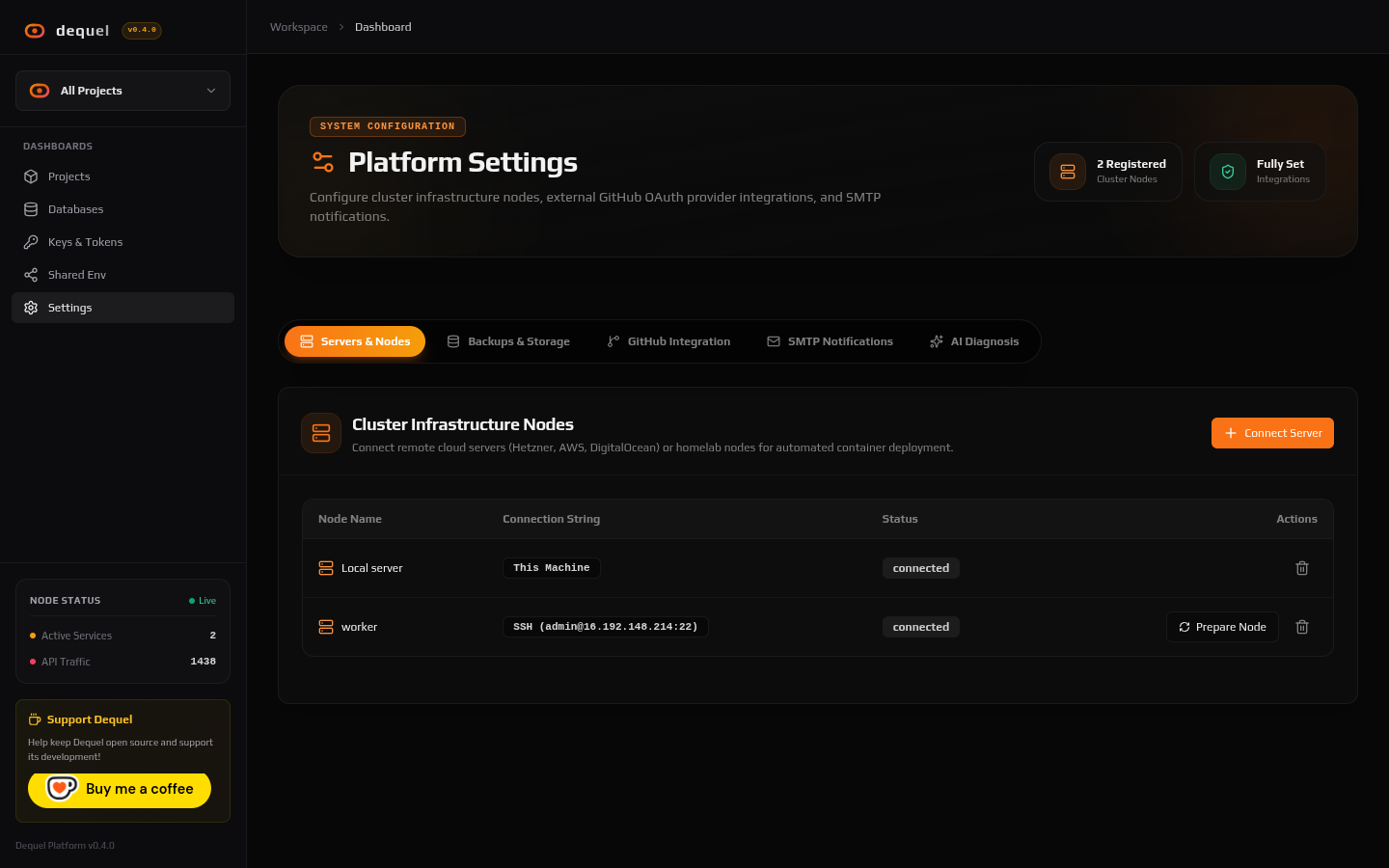
Open Settings → Servers and click Connect Server:
- Choose Direct SSH (host, port, user, and an SSH key from your key pool) or WireGuard P2P Agent (a name — Dequel mints the registration token).
- Click Prepare Node. Dequel streams live progress: OS detection,
Docker install, Caddy +
/etc/caddy/routes/setup, BuildKit, and Railpack CLI. Prepare is idempotent — re-run it any time to heal a node. - When the stream reports success, the server appears as a deployment target in the project wizard and the database provisioner.
Use Test to check connectivity without preparing, and remove a server with the delete action when it is decommissioned.
Ingress and shared domains
All servers share one base domain (CADDY_BASE_DOMAIN). A project gets
the same hostname (<slug>.<domain>) no matter which server runs it —
Dequel renders that hostname into the route file on the owning server.
Point the wildcard DNS at your servers (see Installation),
or add per-deployment A records for finer control. Custom domains bypass
the base domain entirely. The Settings → Servers view (or
Settings → Ingress state) controls which server is the ingress
entrypoint; route internals are documented under
Agent Caddy Routes.
Failover
A project can fail over to an alternate server: the control plane
redeploys the project’s Git source on the new target and removes the
old containers. Trigger it from the project API
(POST /projects/:id/failover). Automatic failover runs on the
FAILOVER_MIN_INTERVAL_MS cadence unless FAILOVER_DISABLED is set
(see System Configuration).
Next steps
- Read Keys for the SSH key pool servers draw from.
- Read Agent Caddy Routes for route files.
- Read Deployments for targeting a server per deploy.